Tracks names are date formatted as YYMMDDHHMM or YYMMDD_HHMMSS. For example, the name of the track that started on 8:30AM Nov 6, 2025 is 2511060830.
Use the Anchorages & Marinas files to associate track locations with their filenames. Some entries in Anchorages & Marinas files will not have an associated track. Some may have two or more tracks.
Each track has two files - GPX and KML formats. The KML files contain position and depth data and can be opened in Google Earth. The GPX files are compatible with most chart plotters, Google Maps and Google Earth.
KML tracks contain depths at each track point. Depths are graphically depicted in a picket fence format. Picket positions correspond to track points. Picket heights correspond to the depth at that point. A picket’s lat/lon location and depth is displayed when a picket is clicked. White or yellow pickets correspond to depths greater than 7 ft. Red pickets correspond to depths 7 ft or less.
Depths in US track points are tidally compensated and are referenced to MLLW datum. Depths in Canada track points are not.
Position and depth data in the tracks will not always be accurate. Mistakes have been made. USE AT YOUR OWN RISK.
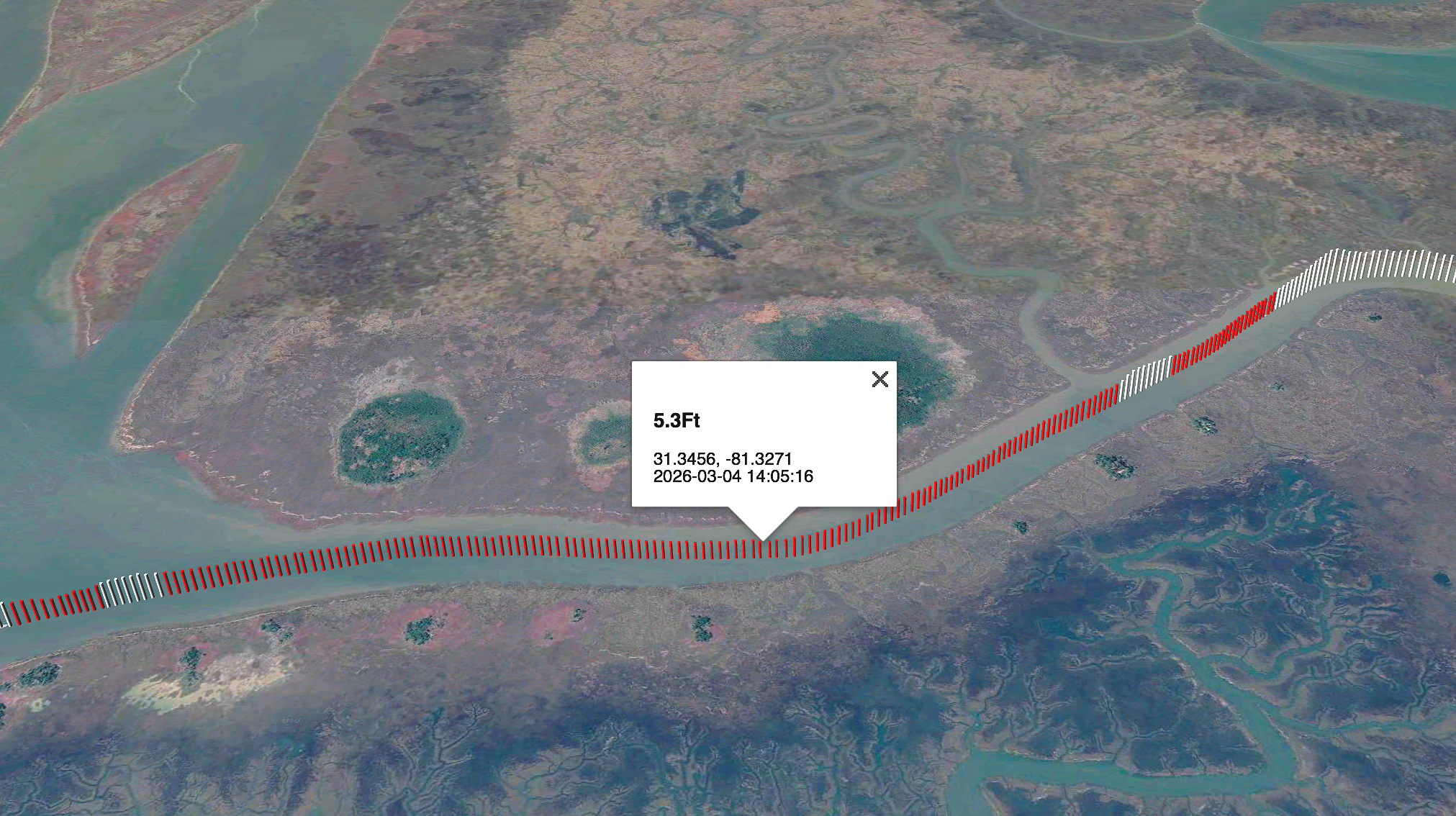
The 260304_101242 track in Google Earth (the KML and GPX files). This is Zora’s track in the chronically skinny Little Mud River at the mouth of the Altamaha River in Georgia. Picket heights are proportional to depth. Red pickets represent depths 7 ft or less. Depth, position and time of data capture are displayed when a picket is clicked. U.S. depths are referenced to the MLLW datum. Canadian depths are not tidally compensated.